问题描述
App端部分功能使用h5页面实现,但是偶尔用户反映会有广告。也就是请求被第三方劫持了插入了广告,所以决定全业务切https。在nginx配置https将https的请求转发的tomcat的http端口。
但是发现一个问题就是h5页面的资源和ajax请求失败,原因是url中的协议和端口号不对应。1
String basePath = request.getScheme()+"://"+request.getServerName()+":"+request.getServerPort()+path+"/";
结果是协议为http,端口号为 https的端口号,导致静态资源加载、ajax请求失败。
http://****:6443/**** 无法请求到服务器。
解决问题
nginx配置
1 | upstream ******{ |
tomcat server.xml配置
在tomcat的1
2
3
4
5
6<Valve className="org.apache.catalina.valves.RemoteIpValve"
remoteIpHeader="x-forwarded-for"
remoteIpProxiesHeader="x-forwarded-by"
protocolHeader="x-forwarded-proto"
httpsServerPort="6443"
/>
解释分析
nginx中的核心配置为,这几项配置,会在请求头中设置这几个参数。1
2
3
4proxy_set_header Host $host;
proxy_set_header X-Real-IP $remote_addr;
proxy_set_header X-Forwarded-For $proxy_add_x_forwarded_for;
proxy_set_header X-Forwarded-Proto $scheme;
我们随便写一个接口,获取请求头。1
2
3
4
5
6(value = "/ggggggg",method=RequestMethod.GET)
public Object ggggggg( HttpServletRequest request) throws ParseException {
Enumeration enumeration = request.getHeaderNames();
return null;
}
经过debug我们可以看到 request的请求头中已经加入了这几个参数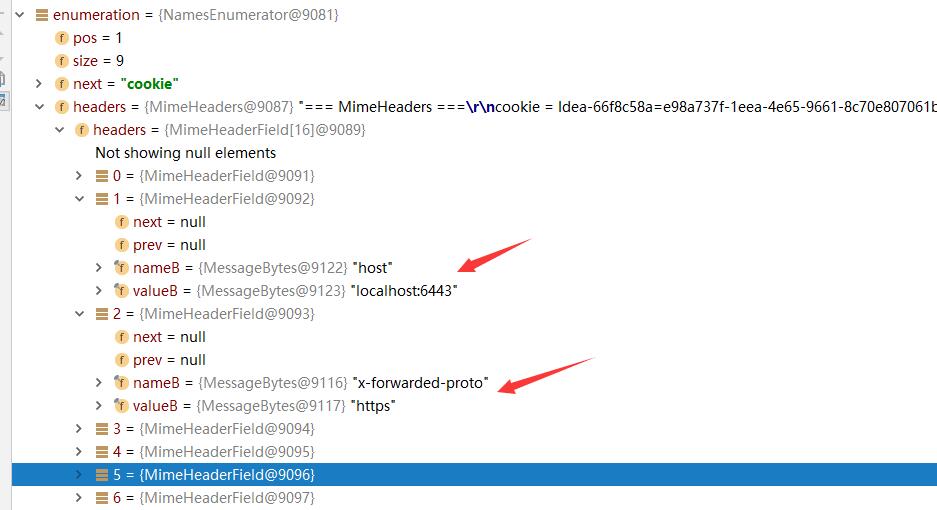
配置tomcat后可以查看request获取的协议和端口号信息。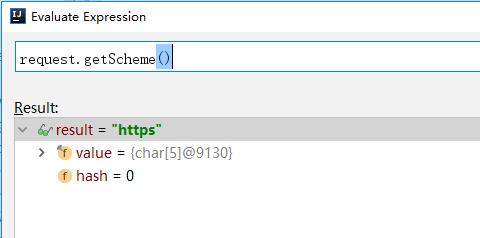
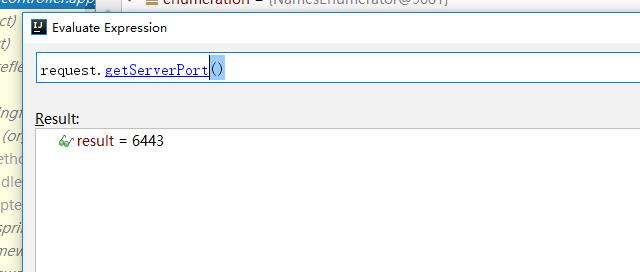
tomcat的配置文件其实就是指定tomcat如何将http请求包装成request对象。我们打开tomcat的api看一看RemoteIpValve这个类。
tomcat API
public class RemoteIpValve
extends ValveBase
Tomcat port of mod_remoteip, this valve replaces the apparent client remote IP address and hostname for the request with the IP address list presented by a proxy or a load balancer via a request headers (e.g. “X-Forwarded-For”).
Another feature of this valve is to replace the apparent scheme (http/https) and server port with the scheme presented by a proxy or a load balancer via a request header (e.g. “X-Forwarded-Proto”).
这样tomcat会从请求头中获取这几个参数,实例化request。
如果https走的是443端口则不用设置 httpsServerPort默认值为443。我这里https走的是6443,所以需要配置。
参考文档
http://blog.csdn.net/vfush/article/details/51086274
https://www.cnblogs.com/gentoo/archive/2012/10/13/2722463.html
http://blog.csdn.net/newtelcom/article/details/50782950
http://blog.csdn.net/RKun595/article/details/71012484
今天最好的表现,是明天最低的要求。